
Rainbow Six Siege Wallhack & Aimbot | Enemy ESP

Video Preview
A configurable Rainbow Six Siege PC cheat with Player ESP, wallhack, aimbot, operator intelligence and Gadget ESP for Ubisoft Connect, Steam and Epic Games.
On sale here for 1,909 days — undetected
since July 24, 2021
Select Subscription Plan
Fast automatic license delivery
After payment approvalOnce your payment is successfully approved, the order is processed immediately and the ready license is delivered automatically to your order and account.
Key Features
Full Description
Rainbow Six Siege Wallhack and Aimbot with configurable enemy ESP
This PC tool combines Player ESP, Wallhack, Aimbot and Gadget ESP in one configurable interface for Rainbow Six Siege. It is designed to make battlefield information easier to read while giving the user precise control over targeting behavior, render distance and on-screen clutter.
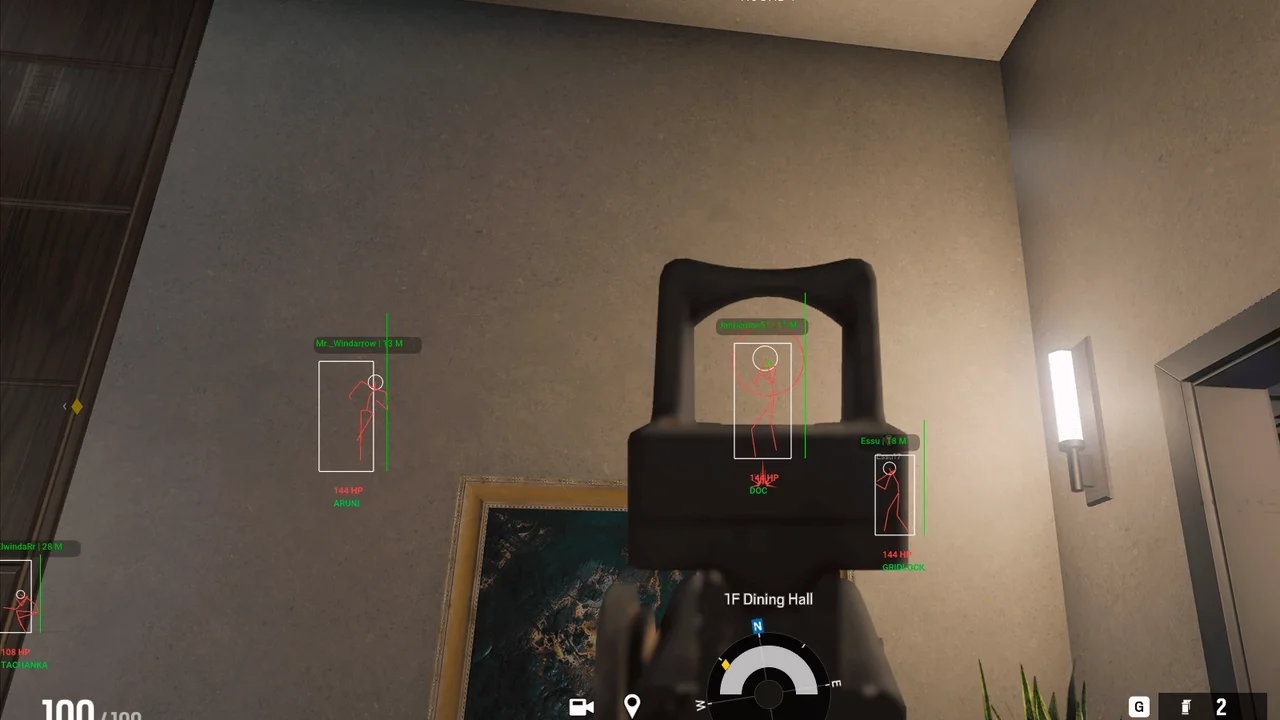
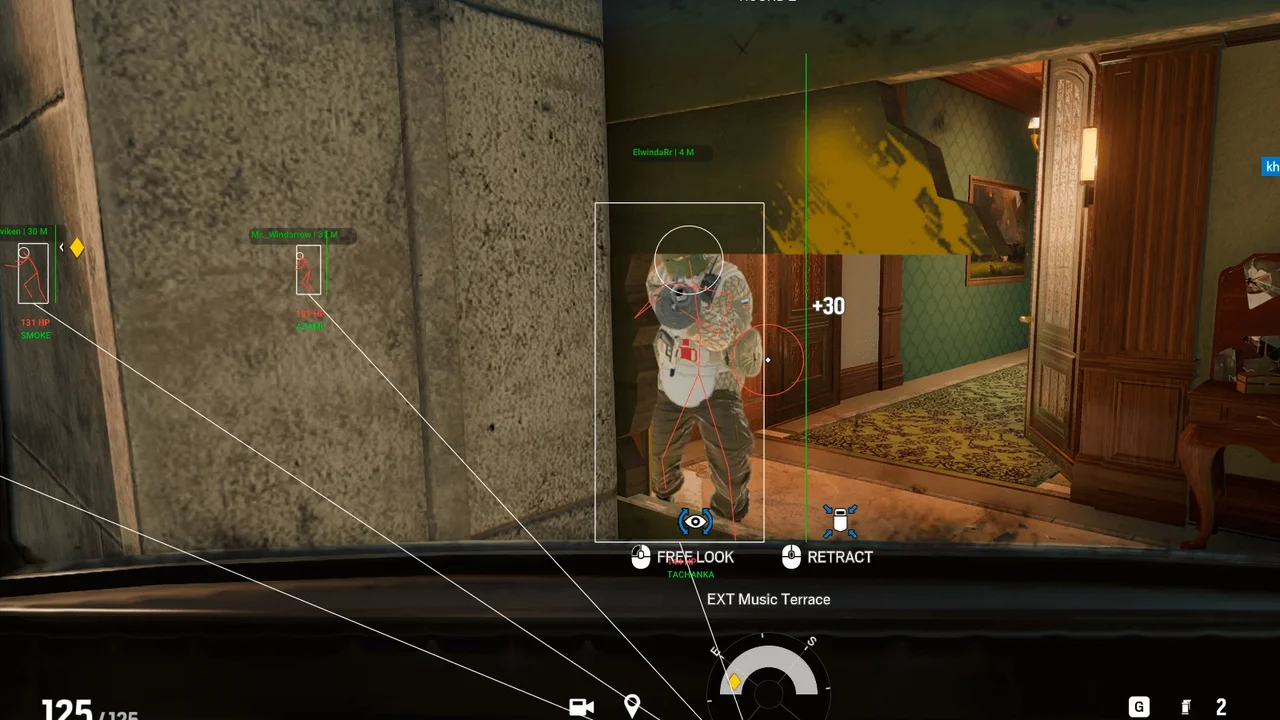
The visual system can display players through obstacles using boxes, snap lines and skeletons, alongside operator name, player name, health and distance. Team Check and a maximum render-distance setting help keep the overlay focused. The aim-assistance module offers two activation keys, adjustable FOV, selectable hitboxes, a target marker and sensitivity or smoothing control.
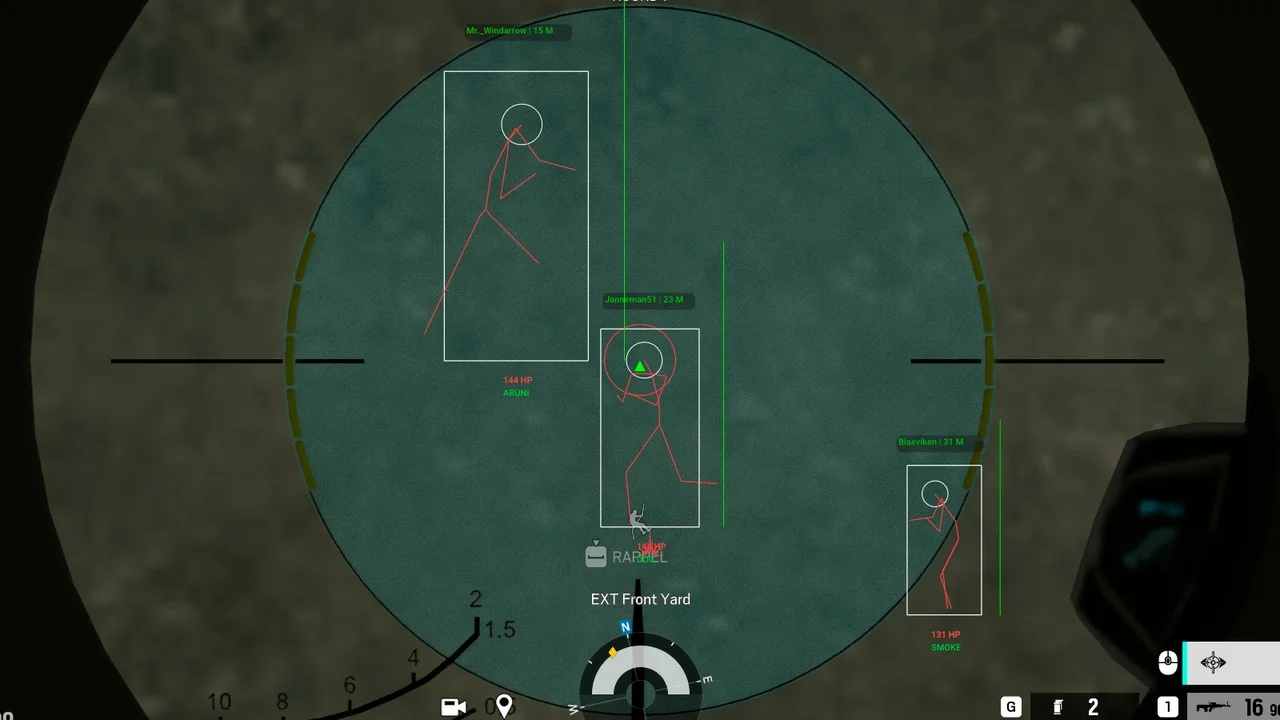
Core functions
- Player ESP: boxes, lines and skeletons for players behind map geometry.
- Operator intelligence: operator name, player name, health bar or HP text and distance.
- Head marker and Team Check: highlight the head position and optionally hide teammates.
- Configurable Aimbot: selectable hitbox, two hotkeys, FOV size, Draw FOV, target marker and smoothness.
- Gadget ESP: highlights supported drones and deployable devices.
- Utility tools: static crosshair and hit-damage feedback.
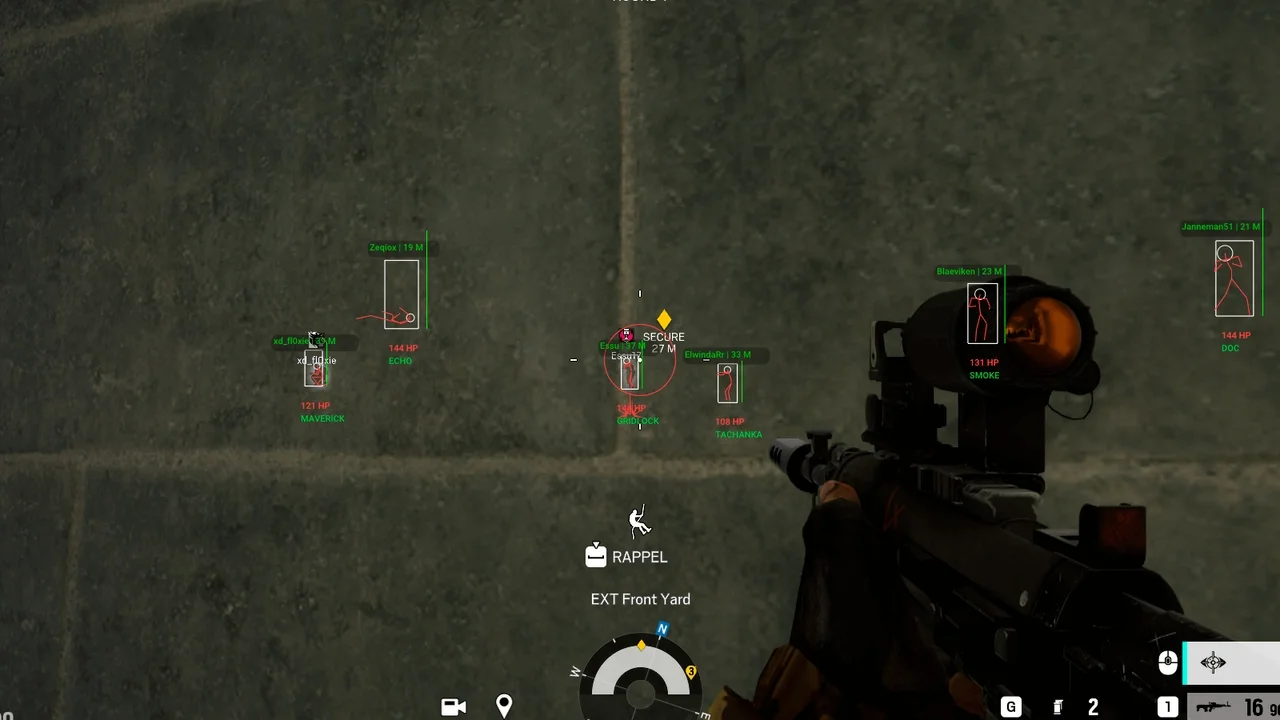
System requirements
Current product specifications list support for the Ubisoft Connect, Steam and Epic Games editions, Intel and AMD processors, and Windows 10/11. Rainbow Six Siege must run in Windowed or Borderless mode. An HWID spoofer and stream bypass are not included.
Important notice
Compatibility can change after a game or anti-cheat update. Always check the live product status and the latest setup guide in your account before launching. No third-party game tool is risk-free, and its use may conflict with the publisher's terms; the user remains responsible for the decision to use it.
Complete Guide
Complete Rainbow Six Siege Wallhack and Aimbot guide
Rainbow Six Siege rewards information, positioning and fast decisions. This product brings visual intelligence and configurable aim assistance into one interface. The guide below explains each module, compatibility requirements, a practical setup checklist and important risk information.
Player ESP and Wallhack
- ESP Box: draws a box around a player model.
- ESP Line: connects the top, center or bottom of the screen to a target.
- Skeleton: shows a bone-style outline for clearer pose and direction reading.
- Name and Operator Name: displays player and operator identity.
- Head Marker: marks the approximate head hitbox.
- Health: shows HP as a bar or text value.
- Distance and Max Distance: shows range in metres and limits how far ESP renders.
- Team Check: hides teammates where the selected mode supports reliable team detection.
Aimbot and aim-assistance controls
- Enable or disable aim assistance independently.
- Assign two activation keys for different input preferences.
- Set FOV size and optionally draw the active FOV circle.
- Select the preferred body hitbox.
- Mark the currently selected target.
- Adjust sensitivity or smoothing to control movement speed.
Gadget ESP and utility tools
Gadget ESP highlights supported drones and deployable devices. A static crosshair can stay visible at the centre of the screen, while the hit-damage effect provides feedback after registered shots. Supported gadget coverage may change with game updates.
System requirements
- Operating system: Windows 10 or Windows 11; listed builds include 21H2, 22H2, 23H2, 24H2 and 25H2.
- Processor: Intel or AMD.
- Game edition: Ubisoft Connect, Steam or Epic Games.
- Display mode: Windowed or Borderless.
- Included HWID spoofer: No.
- Stream bypass: No.
Before installation
- Check the live compatibility status and do not launch while the product is marked as updating.
- Confirm your Windows build, game launcher and display mode.
- Download files only from your Golden Cheat account.
- Follow the guide supplied with the current build, not an older tutorial.
- Close unnecessary overlays or monitoring applications to reduce conflicts.
- Test the default profile and a short render range before adding more visual elements.
Readable configuration tips
Enabling every visual option at once can make the display difficult to read. Start with either Box or Skeleton, then add Health and Distance. Keep Team Check enabled and set Max Distance to suit the map. For aim assistance, begin with a limited FOV and conservative smoothing, then adjust one value at a time.
Updates, risk and user responsibility
A game or anti-cheat update can change compatibility without notice. The product-status badge reflects the latest reported state, not a permanent guarantee. No third-party cheat is risk-free, and use may lead to account restrictions or violate Ubisoft rules. Never download redistributed builds from unknown sources.
Frequently asked questions
Does it support Steam and Epic Games?
The current compatibility list includes Ubisoft Connect, Steam and Epic Games. Check the live status before every launch.
Is an HWID spoofer included?
No. This package does not include an HWID spoofer.
Is it stream-proof?
No stream bypass is included, so visual elements may appear in recordings or broadcasts.
Which display mode should I use?
Use Windowed or Borderless mode. Exclusive Fullscreen is not listed as supported.
Customer Reviews
Real user experiences with this product
پشتیبانیشون فوقالعادست من از مشتریان قدیمشونم اصلا هم بن نمیشیم با خیال راحت بگیرید لایسنس رو کیفیتش عالیه
ممنونم از لطف شما
تجربه خوبی بود به علاوه اینکه تیم پشتیبانی بسیار قوی داشتند
ممنونیم از نظر خوبتون 💖
یک روزه گرفتم اوکی بود و برای یک ماه تمدید کردم، ممنونم برای پاسخ گوییتون برای رفع مشکلم و پاسخ گویی تیم پشتیبانی . احتمالا بازم تمدید کنم
یک روزه گرفتم مشکل اتصال داشت ، راضی نبودم
چیتش واقعا حرف نداره بدون بن و ممنونم از پشتیبانی خیلی خوبتون